
Automated payments and online Bill Pay can help simplify your finances by saving time, reducing paperwork, and helping you avoid missed payments. Learn how these convenient tools work, how they differ, and how to create a bill-paying system that keeps your finances organized and on track.
Between mortgage or rent payments, utility bills, subscriptions, insurance premiums, and everyday expenses, keeping track of your monthly bills can feel like a full-time job. Fortunately, you don’t have to rely on paper statements, checks, and calendar reminders to stay on top of everything.
With automated payments and online Bill Pay with Lake Region Bank, you can simplify your finances, save time, and avoid missed payments. When used thoughtfully, these tools can take some of the stress out of managing your money while helping you stay organized and on schedule.
Let’s take a closer look at how automated payments and Bill Pay work and how you can use them to your advantage.
What Are Automated Payments?
Automated payments allow you to schedule recurring payments so money is automatically withdrawn from your account on a set date. You may be able to set up automatic payments directly with a company or through Lake Region Bank directly, depending on the type of payment.
Here’s a list of just a few of the types of payments you can automate:
- Mortgage or rent
- Utility bills
- Insurance premiums
- Cell phone bills
- Streaming services
- Gym memberships
- Loan payments
- Recurring subscriptions
Once you establish an automatic payment, you don’t have to remember to make the same payment every month.
What Is Online Bill Pay?
Lake Region Bank offers Bill Pay through your online or mobile bank account. This service allows you to pay your bills through our system instead of visiting each company’s website to set up individual automated payments. Many customers find Bill Pay much more convenient, as they can schedule all their payments from a single location.
Depending on the biller and payment method, we may send the payment electronically or mail a check on your behalf. You can use Bill Pay to make a one-time payment, recurring payments, and future-dated payments. You can even schedule payments in advance to make organizing your finances easier.
What Is the Difference Between Automated Payments and Bill Pay?
Although both options help automate your bills, they work a little differently.
With an automatic payment, you generally give a company permission to withdraw money from your account on a recurring basis. The payment is initiated automatically according to the terms you’ve established.
With online Bill Pay, you initiate the payment through Lake Region Bank. You decide when and how much to pay, making it a useful option for bills that vary from month to month.
For example, you might use automatic payments for a fixed monthly car loan payment, but use Bill Pay to pay your electric bill, which changes based on how much electricity you use.
The right choice depends on your preferences and the type of bill you’re paying. Many people use a combination of both.
The Benefits of Automating Your Bills
| Benefit | How It Helps |
| Save Time | Once set up, you don’t have to spend time each month making payments. |
| Avoid Missed Payments | Stay on track and avoid late payments |
| Reduce Paperwork | Easier to organize your financial records digitally |
| Simplify Financial Routine | Finances become more predictable and manageable |
| Manage Payments from Anywhere | Access accounts and manage payments at your convenience |
Get Started with Online Bill Pay
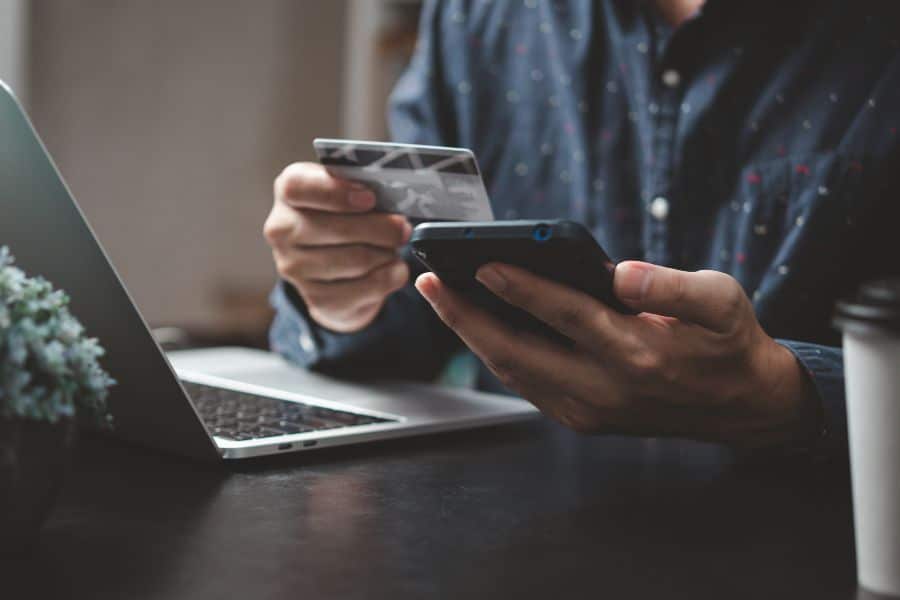
To start using online Bill Pay, begin by making a list of your recurring expenses, including the name of the biller, the typical payment amount, your due dates, and whether the payment is fixed or variable.
Then, log into your Lake Region Bank online banking platform and look for Bill Pay. Our simple set-up process allows you to set up one-time, recurring, and future payments for the expenses on your list. For bills that change month to month, you can opt to review the amount before scheduling the payment.
Build Healthy Financial Habits with Automated Payments
Automated payments help you simplify your bills and make sure you don’t miss a payment. But you shouldn’t completely forget about them. Regularly review your account activity and upcoming payments so you’re not surprised once payments go through.
Set aside a few minutes every month to:
- Review account balances to ensure you have the money to cover your bills.
- Check for upcoming scheduled payments.
- Look for unexpected charges.
- Confirm recurring payments are accurate.
- Cancel subscriptions you don’t use.
A simple monthly check-in can help you catch errors, avoid overdrafts, and keep your finances organized.
Automated payments and online Bill Pay make managing your monthly finances easier, more convenient, and more organized. Our digital banking tools help you spend less time paying bills and more time focusing on the things that matter to you.
If you have questions about setting up Bill Pay, scheduling payments, or using other digital banking features, get in touch with our banking team today. Our friendly local banking team is here to help you simplify your financial routine.
Bill Pay FAQs
What is the difference between automatic payments and online Bill Pay?
Automatic payments typically allow a company to withdraw money from your account on a recurring schedule, while online Bill Pay through lets you manage and schedule payments through Lake Region Bank’s online banking system.
What bills should I put on automatic payments?
Fixed recurring expenses, such as loan payments, insurance premiums, subscriptions, and other bills with predictable amounts, may be good candidates for automatic payments.
Can I use Bill Pay for one-time and recurring bills?
Yes, you can schedule one-time payments or set up recurring payments for bills you pay regularly.
How can I avoid problems with automated payments?
Regularly review your account activity and upcoming payments, keep enough money in your account to cover scheduled withdrawals, and set up account alerts when available. Contact us promptly if you notice an unfamiliar transaction or payment error.