Lake Region Bank’s digital banking platform gives you convenient online banking tools to manage your money, from transferring funds and scheduling recurring transfers to setting account alerts and monitoring your spending. Learn how to use these features to stay organized, spot unusual activity, and make more informed financial decisions from wherever you are.
Lake Region Bank’s online banking platform is so much more than an electronic account statement (though you can find those easily on the platform, too!). We’ve designed our digital banking suite to make it easy for you to move money between your accounts, monitor your accounts, and track your spending so you can make more informed financial decisions.
Let’s take a closer look at how to use our most popular online banking tools.
Lake Region Bank Money Transfers
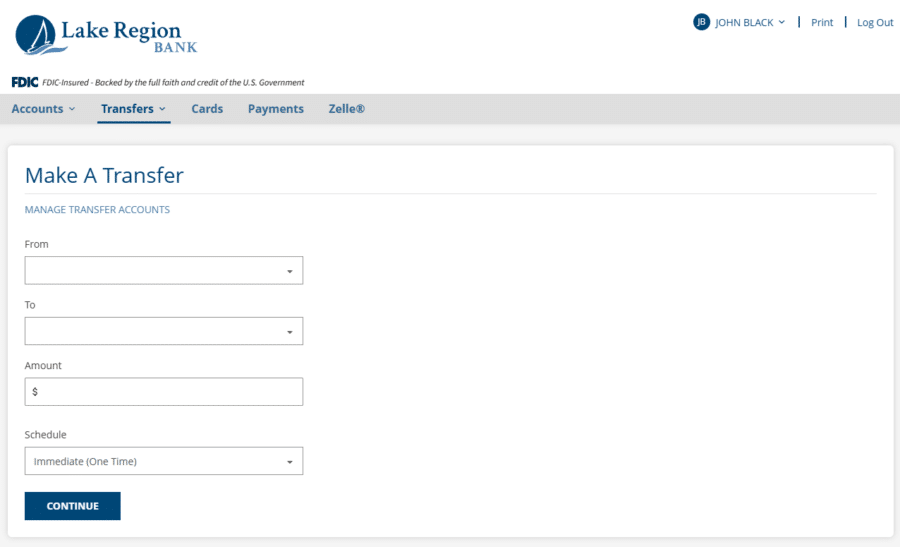
Transferring money between your Lake Region Bank accounts is easy online. You can make an immediate transfer between accounts using the Quick Transfer feature on the Account Summary page. Simply select the account you want to transfer funds from, select the account you want to transfer funds to, enter the amount, and click Transfer.
To schedule recurring transfers or a future transfer, click the Transfers tab on the menu bar. Then, select the account you want to transfer funds from, select the account you want to transfer funds to, and enter the amount. Then, choose from three schedule options:
- Immediate (One Time): Make a transfer once, right now.
- Future (One Time): Make a transfer once on a date you choose.
- Recurring: Make a transfer periodically on a schedule you choose.
For recurring transfers, you can select the frequency and set your start date and end date. This is a helpful feature for making payments and putting money away for a big purchase.
Additionally, you can view all of your transfer activity from the Transfer menu. All transfers set up in our upgraded system are listed under Transfer Activity. Any transfers that carried over from our preview system are listed under Transfers Created Before Our Upgrade.
Set Up Account Alerts
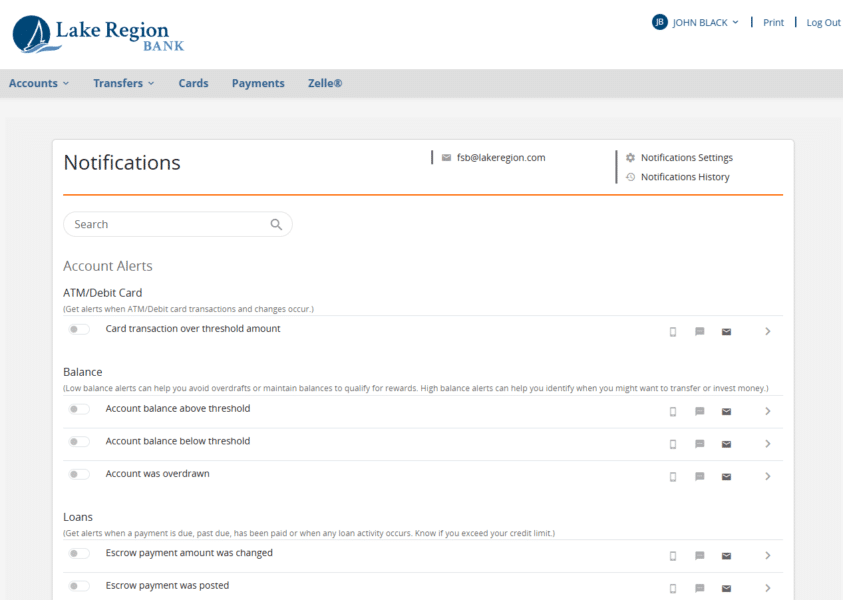
Account alerts can help you stay on top of activity in your bank accounts and spot unauthorized use quickly. Once you’ve logged into your account, click your name in the top right corner of the window. Then, click Settings, and finally, Advanced Alerts. You’ll land on a terms and conditions page. Scroll down, click Accept, and then follow the prompts on the Welcome to Notifications! screen.
When you enroll in notifications, you’ll automatically be enrolled in several required Profile Alerts, including notifications for changes to your contact information, login details, and account lock-outs. Click Close to exit the Welcome screen and personalize your alerts.
In addition to the Profile Alerts, you can set up alerts for debit card, account balances, loans, transactions, and transfers. You can also set up a low balance alert or high balance alert as well as notifications for when a deposit, check, or withdrawal posts to your account.
Once you have selected your alerts, it is time to add your devices. Click the Notifications Settings link (it’s the one with the little gear next to it). From there, you can add your phone number (to receive text alerts), additional email addresses, and register devices. Follow the prompts in the window to add phone numbers and email addresses.
Now, you can go back to the main Notifications screen and update your preferences for your alerts. You can choose to receive them to your email address, as a text, or sent as a notification to devices where you have the Lake Region Bank app installed.
View Spending Insights
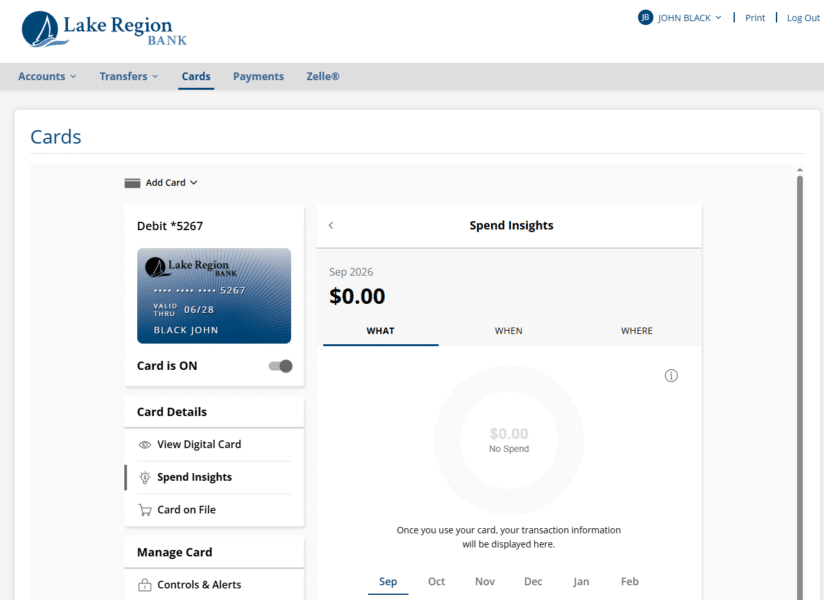
One of the most helpful features of our upgraded online banking system is Spend Insights. To access it, click Cards from the main menu. This will bring you to a page listing your Lake Region Bank debit card.
Under Card Details, click Spend Insights. You’ll see a grand total of what you’ve spent for the month so far right at the top. Click the What, When, and Where tabs to view graphs of your spending data and a list of individual transactions. Click the month tabs to look closely at spending during individual months.
Our online banking system delivers a modern, secure banking experience. For additional support accessing and navigating your online accounts, get in touch with our banking team today or call us at 320-235-5900. Our friendly, local team members are happy to help.
Online Banking Tools FAQs
How do I transfer money between my Lake Region Bank accounts online?
You can use the Quick Transfer feature to move money between eligible Lake Region Bank accounts, or use the Transfers menu to schedule immediate, future, or recurring transfers.
Can I set up recurring transfers through online banking?
Yes. You can schedule recurring transfers at a frequency that works for you, making it easy to move money into savings, make payments, or save for a future purchase.
What types of account alerts can I set up?
You can receive alerts about account balances, debit card activity, transactions, transfers, deposits, checks, withdrawals, loans, and other important account activity. Alerts can be delivered by text, email, or notifications through the mobile app.
What is Spend Insights?
Spend Insights is a digital banking feature that helps you understand your spending. You can view your total spending and explore by what, when, and where, as well as review spending from individual months.